
You can choose how to view the game table based on your preferences!
In Options → General, you'll find the new Table View feature with three modes:
- Tablet – ideal for medium or large screens
- Mobile – ideal for small screens
- Zoom – the solution with the largest cards
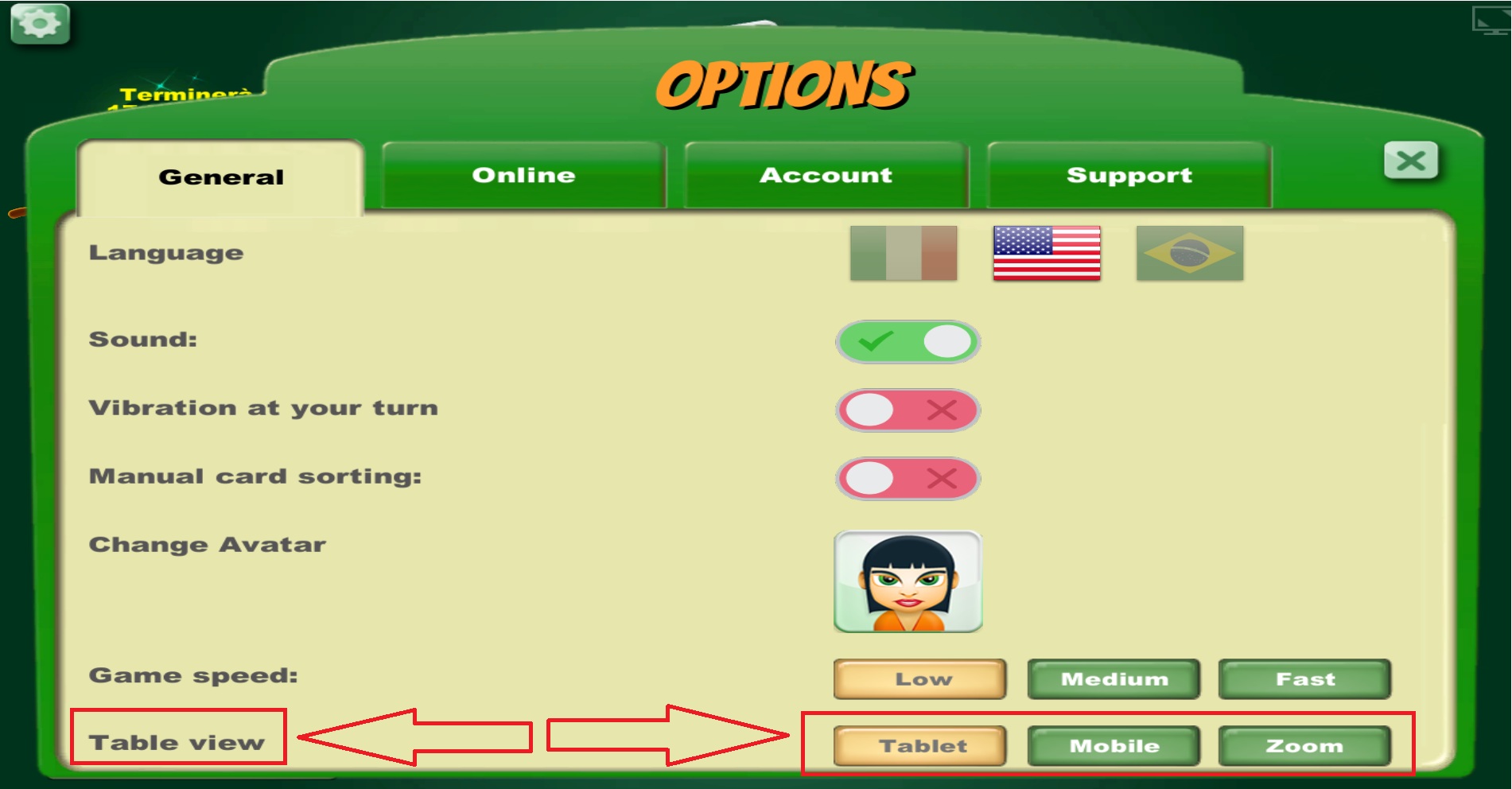
By scrolling down, you can also see a preview of the current view, as in the image below.
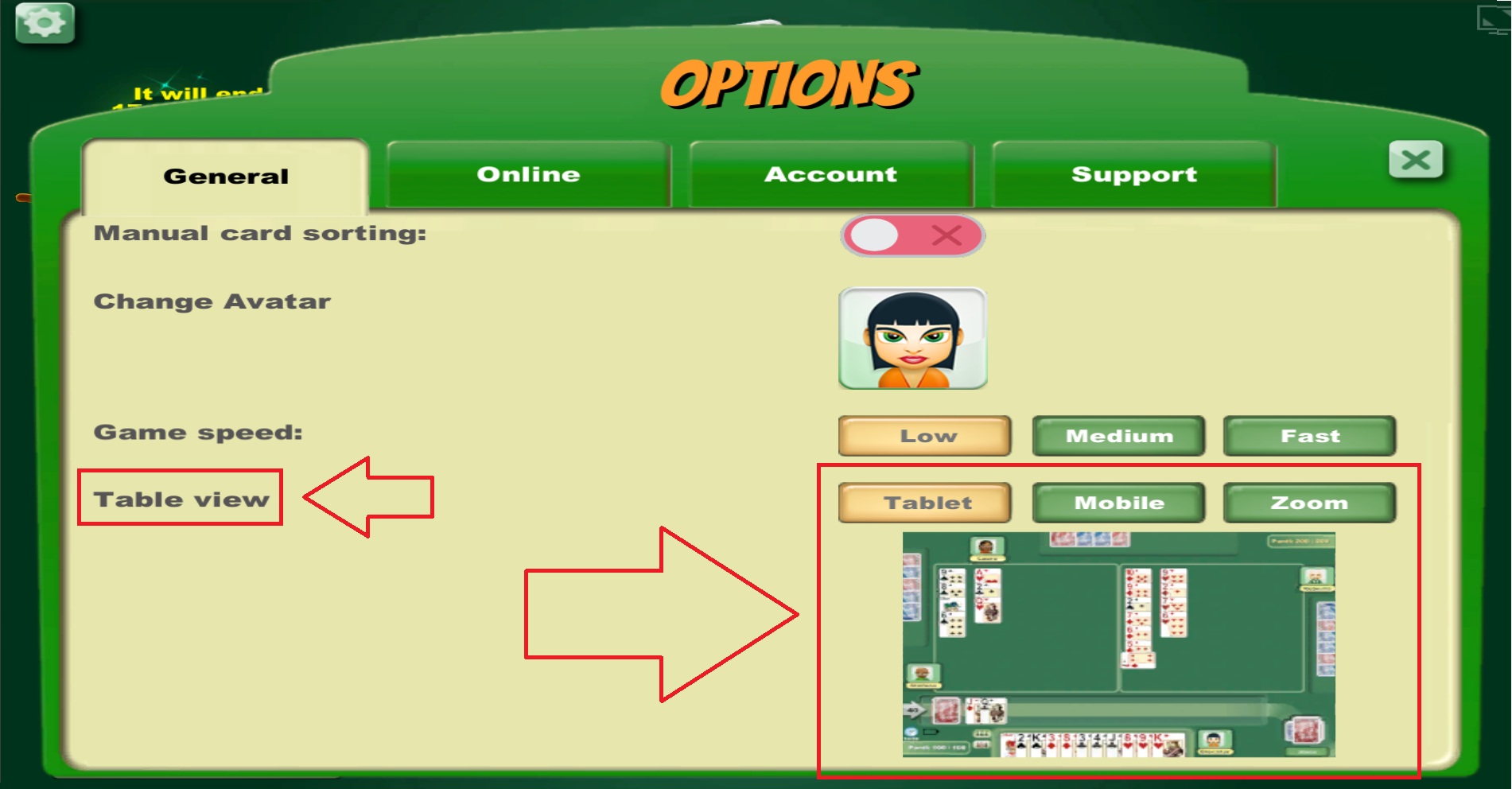 By clicking on the three buttons (Mobile, Tablet, or ZOOM), you'll immediately see a preview of the three views.
Try them all and find the perfect view for you!
Below are the three views:
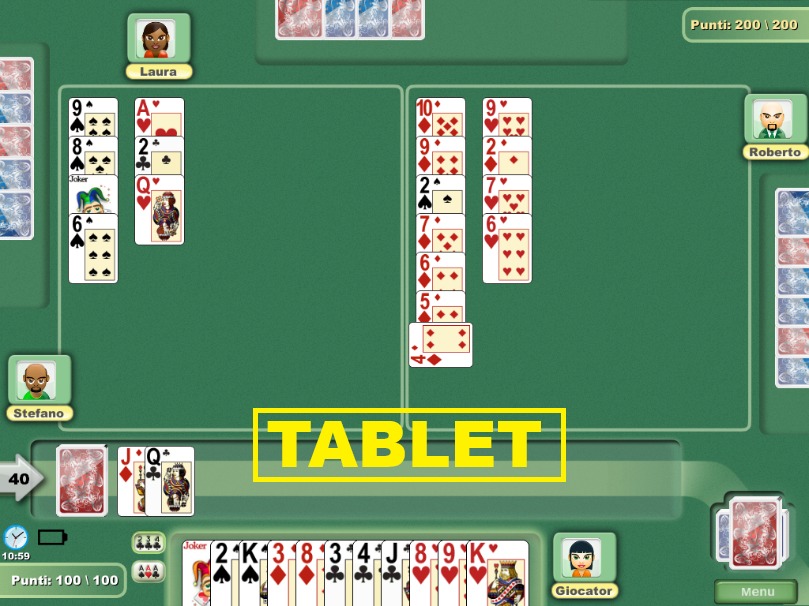
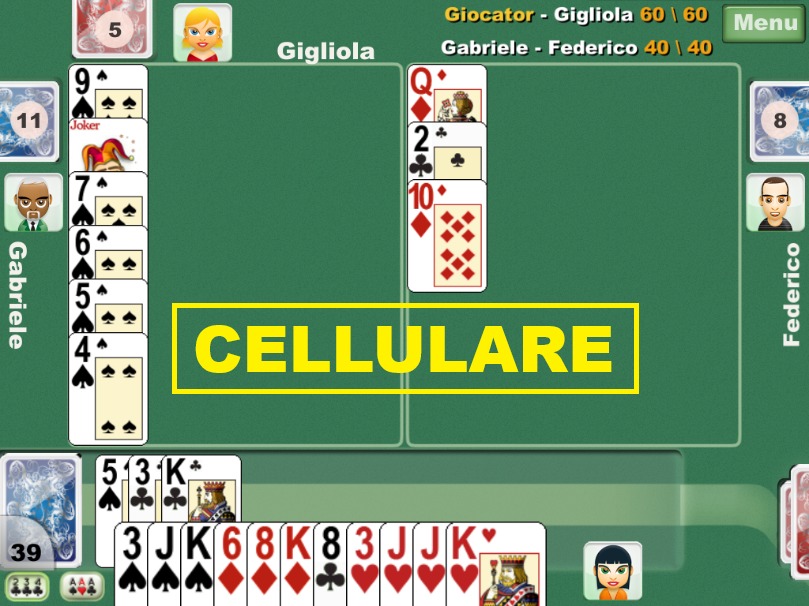
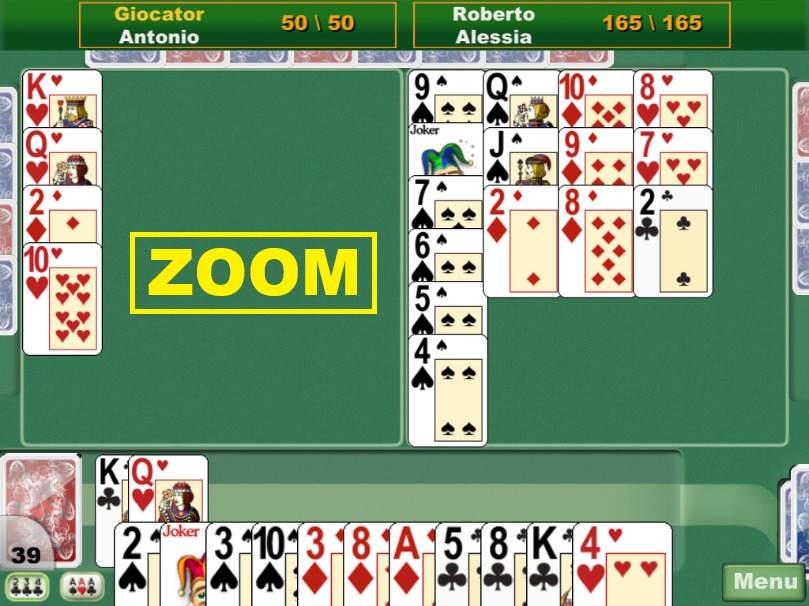
The names refer to the devices for which they were designed, but you can use them freely: even on a mobile phone, for example, you can choose "Tablet" or "Zoom"!